HUXForm — generative human-experience runtime
v0.3 · public beta · MIT

What should the interface  look like today?

HUXForm is a runtime for generative software. One sentence in — HUXForm researches the task with real tools, streams a one-off mini-app onto the stage as the model draws it, and lets that software redesign itself when you want a different view. Not a chat. Not a dashboard kit. Not a wrapper around someone else's design system.

scroll
see it run · 80 seconds

One prompt. A whole audit, drawn live.

“audit github.com/anthropics/anthropic-sdk-python for security + stale PRs” — the Director picks a metaphor, the Researcher runs real tool calls, the UI Generator streams the mini-app onto the stage.

This clip is a deterministic HTML/CSS render of one run, kept reproducible. A live HUXForm run varies in its visual metaphor — the same audit may be drawn as a ledger, an inspection station or a console. The tool calls, the OSV/GHSA vulnerability data and the MCP discovery flow are real.  Full-resolution video ↗

Every other AI app sends you back a paragraph.

We send you back a piece of software built for one moment — with real data, not invented numbers.

Three columns of dark cards, sidebar, hamburger, glassmorphism — that's the cul-de-sac most LLM UIs end up in. HUXForm fights it in two places: a Director that commits to a concrete metaphor, palette and typography before any code is written, and a UI Generator that treats that brief as a constraint, not a suggestion.

Between them sits a Researcher: a server-side ReAct loop that calls real tools (web search, fetch, MCP servers, OpenAPI, CLI) until it has facts, then hands them to the UI Generator. Generated mini-apps render from those facts — not from the model's imagination. The Researcher can also discover and install new MCP servers at runtime, with explicit approval each time.

The shell itself dissolves while you work. When a task is on stage, chrome auto-fades, the palette of the generated app bleeds into the surrounding frame, and the only thing on screen is the mini-app HUXForm built for this moment.

before
A chat bubble with seven paragraphs.
after
A one-off mini-app designed for the task.
five things almost nobody ships

It isn't a chat. It's a generative software runtime.

Stripped of the marketing — here's the actual set of capabilities HUXForm ships today that you won't find in ChatGPT, Claude.ai, Gemini, or any "AI dashboard" tool. Open ./bin/huxform and they're all live in your browser in under a minute.

capability 01

Generative UI, not a template.

A Director LLM commits to a concrete metaphor (a meteo station, a field notebook, a podium ceremony) plus palette, typography and motion before any code is written, with a list of banned defaults. The UI Generator treats it as a constraint. Output converges to a one-off mini-app, never to "another dashboard".

capability 02

Real data, not hallucination.

A server-side Researcher ReAct loop calls live tools — DuckDuckGo (no key), optional Tavily / Brave / Serper, MCP servers, attached files — until it has facts. The codegen prompt forbids inventing numbers; the iframe receives agui.research as ground truth.

capability 03

Streaming codegen — watch the app being drawn.

The LLM streams HTML tokens. HUXForm sanitizes the partial document and pumps it into iframe.srcDoc every ~120 ms. Palette appears first, then the title, then sections fill in, then SVG details. On ui_ready the live bridge-wired version swaps in. No spinner — the user reads a real interface forming on the page.

capability 04

The app can redesign itself.

From inside the iframe: await agui.evolve("show me as a side-by-side comparison, keep the palette") regenerates the document around the same task state. Same turn, same data, new shape. The codegen prompt forbids hiding alternate views with toggles — the interface stays alive instead of accumulating dead UI.

capability 05

Live tool discovery + audited install.

tools.discover ranks candidates from npm @modelcontextprotocol/* and GitHub topic:mcp-server. audit_top=N reads each top README and asks an LLM to classify permissions, flag risks ("ZIP extraction → path traversal"), and score trustworthiness. tools.install is approval-gated every time and spawns the server through either stdio or streamable-HTTP. tools.uninstall undoes it.

bonus · capability 06

Multi-turn Mission loop.

A user prompt is one Turn. A Mission is one goal → 3-7 auto-spawned Turns, each producing its own mini-app, advancing the goal step by step. POST /api/threads/{tid}/missions with a goal, HUXForm plans the steps and auto-advances when each step's UI reaches the stage. See it work →

specimen cabinet · four tasks · four interfaces

One runtime. Four shapes.

Each card below was generated end-to-end by HUXForm from a single line of intent. The Director picked the metaphor, palette and typography; the UI Generator built the HTML, CSS and JS; the stage rendered it inside a sandboxed iframe and wired every control to a real tool through the bridge.

Specimen N°01 explainer
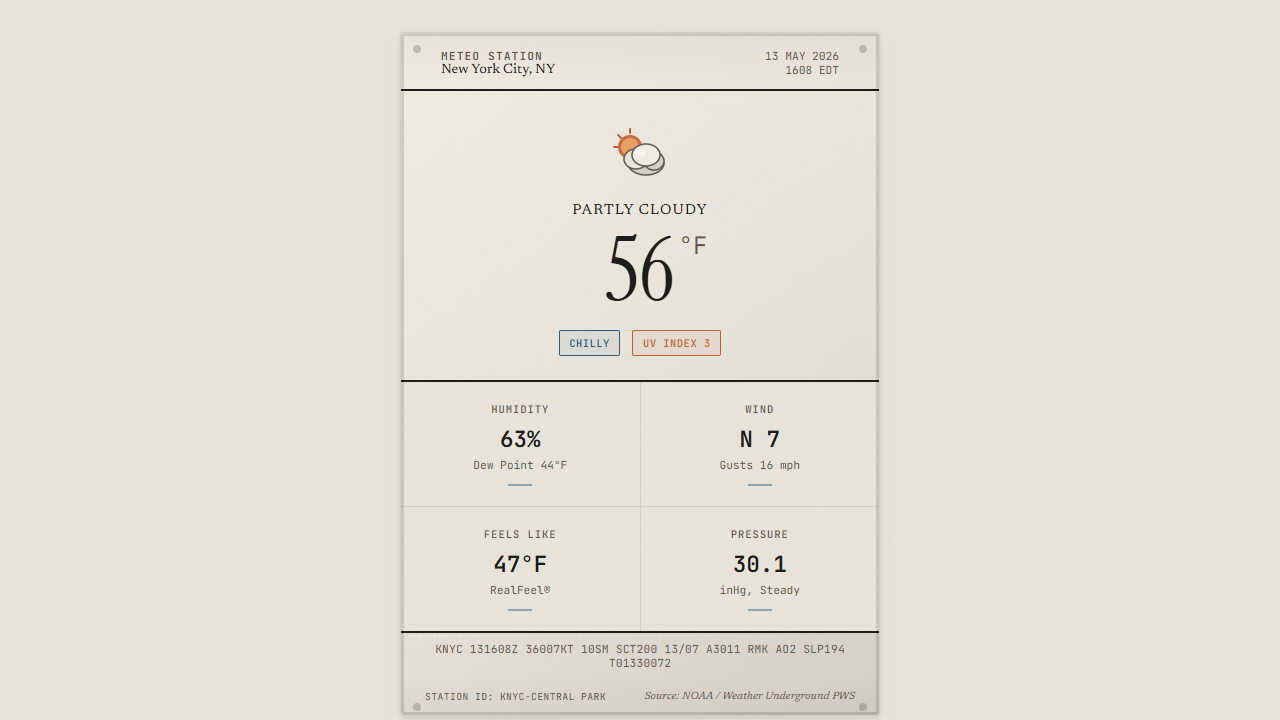
"what is the current weather in New York City right now"
meteo station card · live data baked in by the Researcher
Meteo station card with real New York weather data
web.search → DDG → real 56°F / 63% humidity
Specimen N°02 report
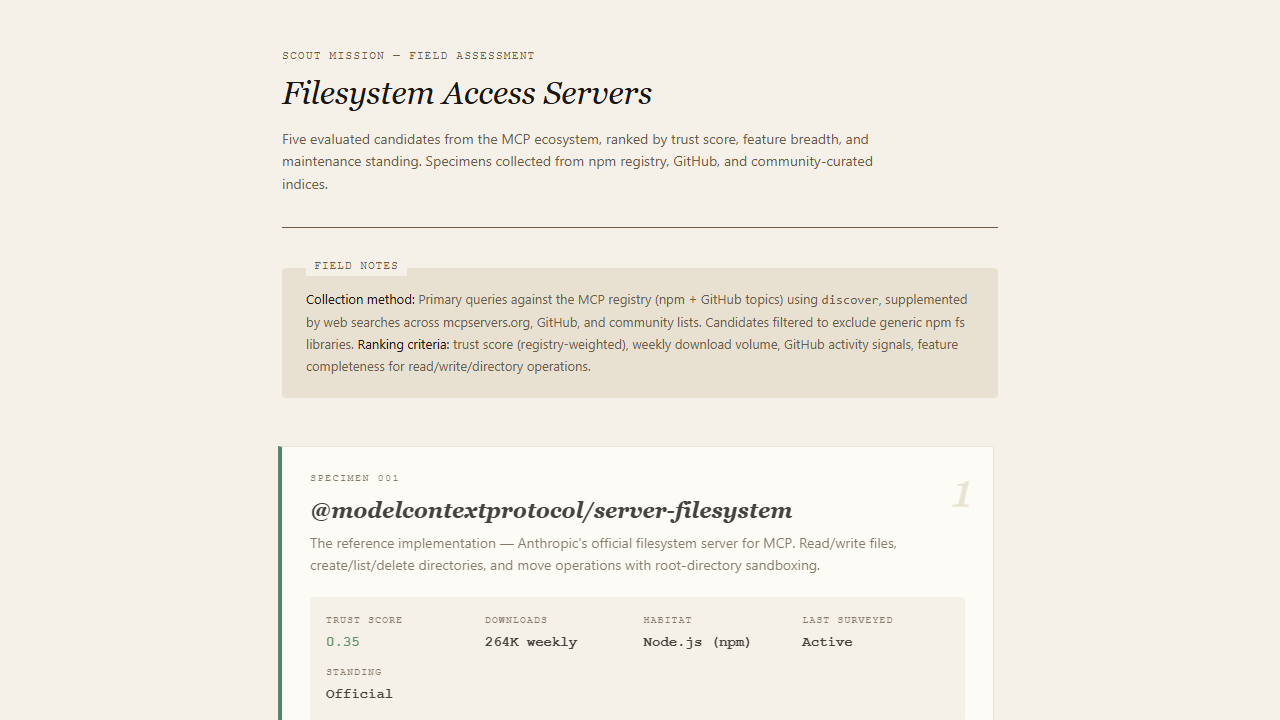
"find me the 5 best MCP servers for filesystem access"
field assessment · Researcher called tools.discover + web.search
Filesystem tool scout report with real npm + GitHub data
tools.discover → npm + GitHub → trust 0.35 / 264K dl
Specimen N°03 decision_board
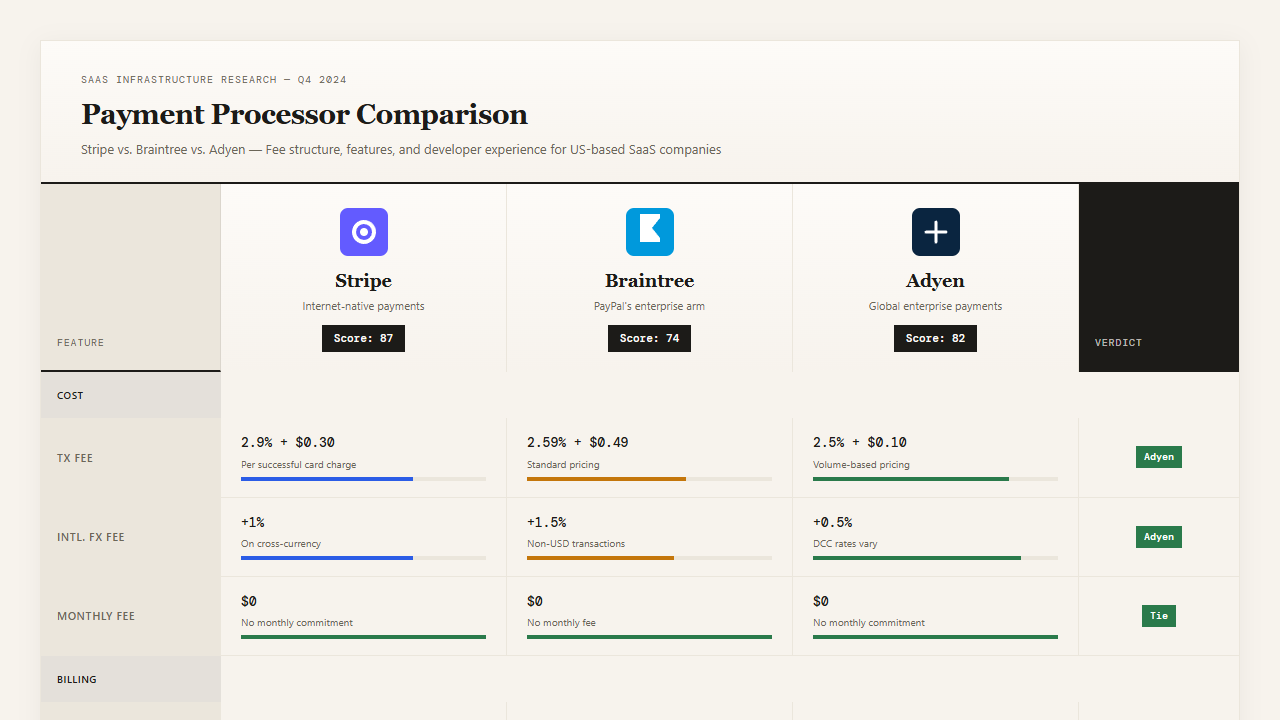
"compare three payment processors for a US-based SaaS"
payment specimen cabinet
Payment processor comparison scorecard
palette · field ledger
Specimen N°04 generated_app
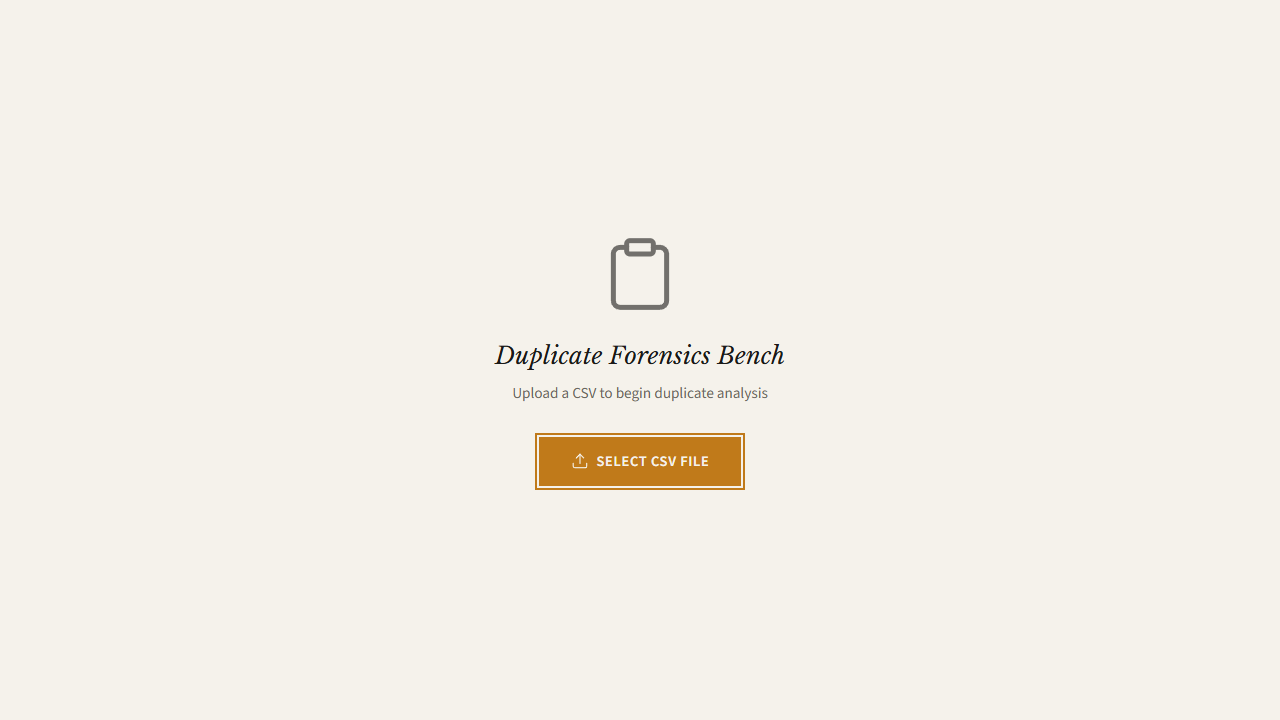
"find duplicates in this CSV"
duplicate forensics bench
Duplicate forensics bench
palette · forensics bench

One safe bridge, every action.

Generated UIs run inside a sandboxed iframe — no same-origin, no unrestricted network, no parent DOM access. The only way out is window.agui.*, a tiny well-defined surface that proxies tool calls, uploads, file reads, approvals and event subscription back to the backend.

// inside any generated mini-app
await agui.callTool("data.parse_csv", { text })
await agui.uploadFile(file)              // real OS picker → bridged upload
await agui.readFile(id)
await agui.askApproval("Send 12 invoices?")
       agui.setState({ stage: "deduped" })
       agui.finalResult({ duplicates: 3 })
       agui.onEvent(ev => renderLive(ev))
mission · one goal · three interfaces

One mission. Three completely different mini-apps.

A Mission is one goal turned into 3-7 auto-spawned Turns. HUXForm plans the arc, the Director picks a fresh metaphor for every step, the Researcher pulls live data, the UI Generator draws each step's mini-app, and the loop auto-advances when each step's stage is ready. The user keeps every step's interface — they don't get replaced, they pile up as a journey.

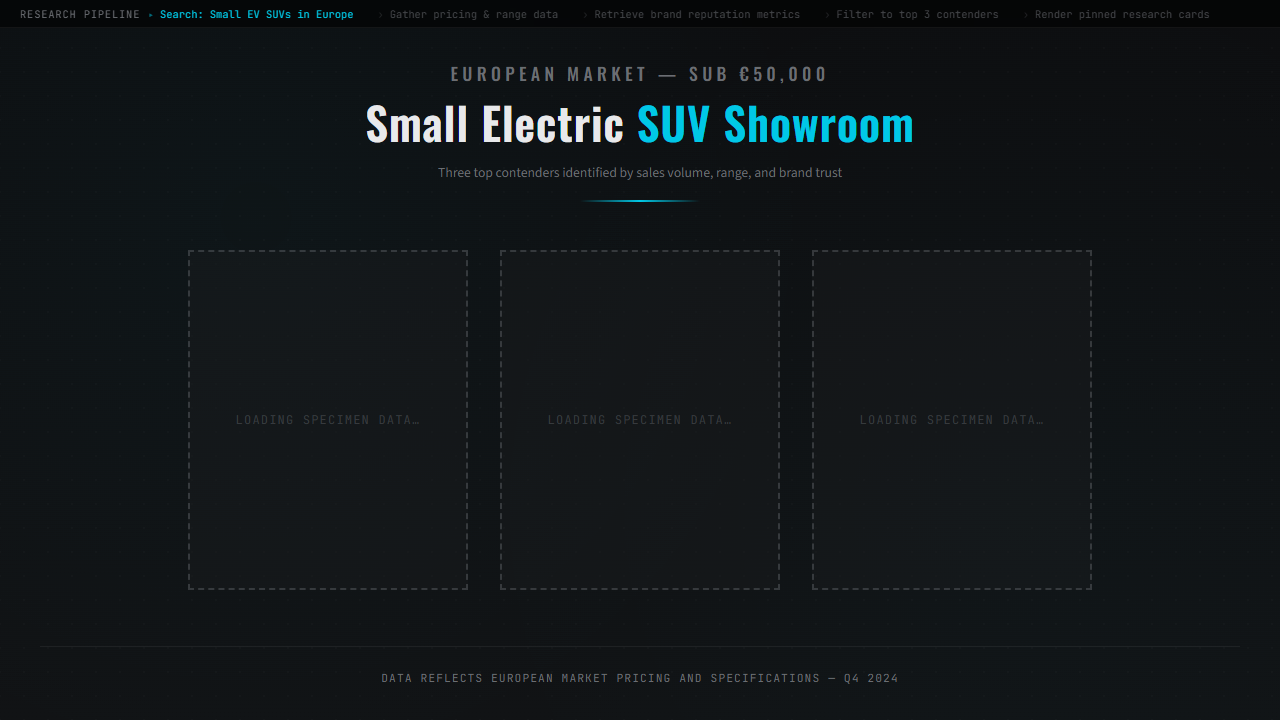
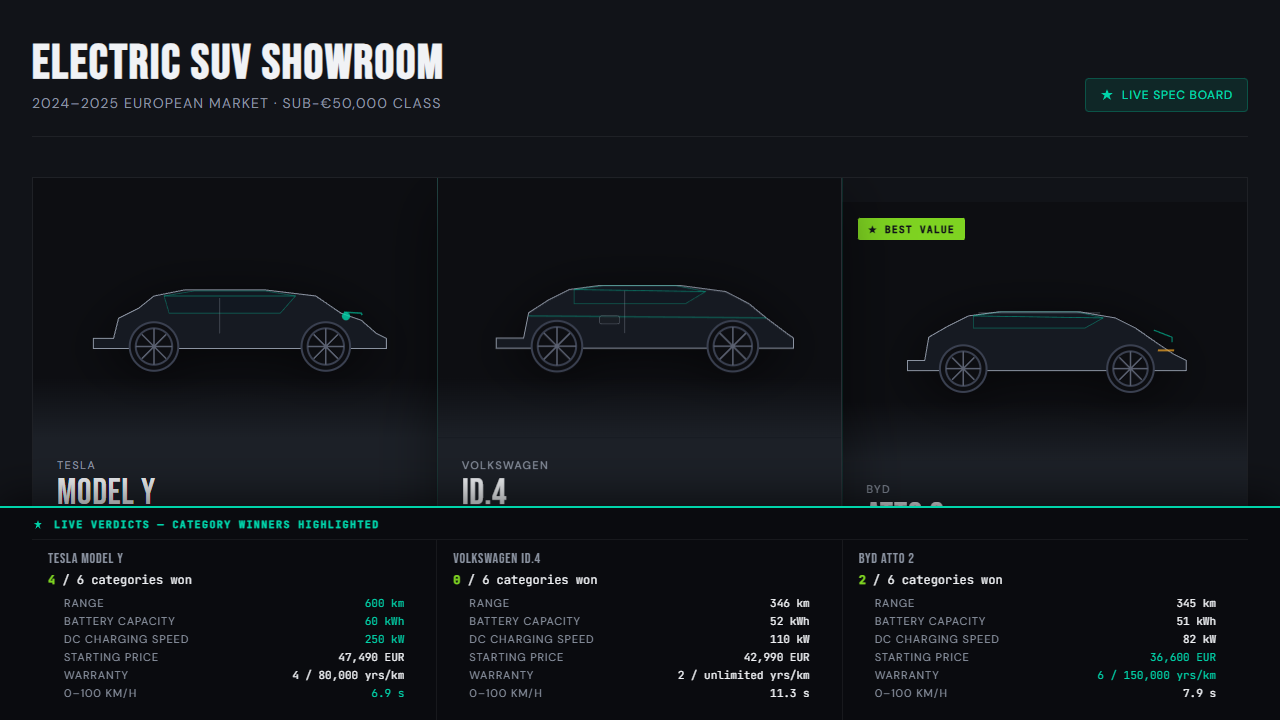
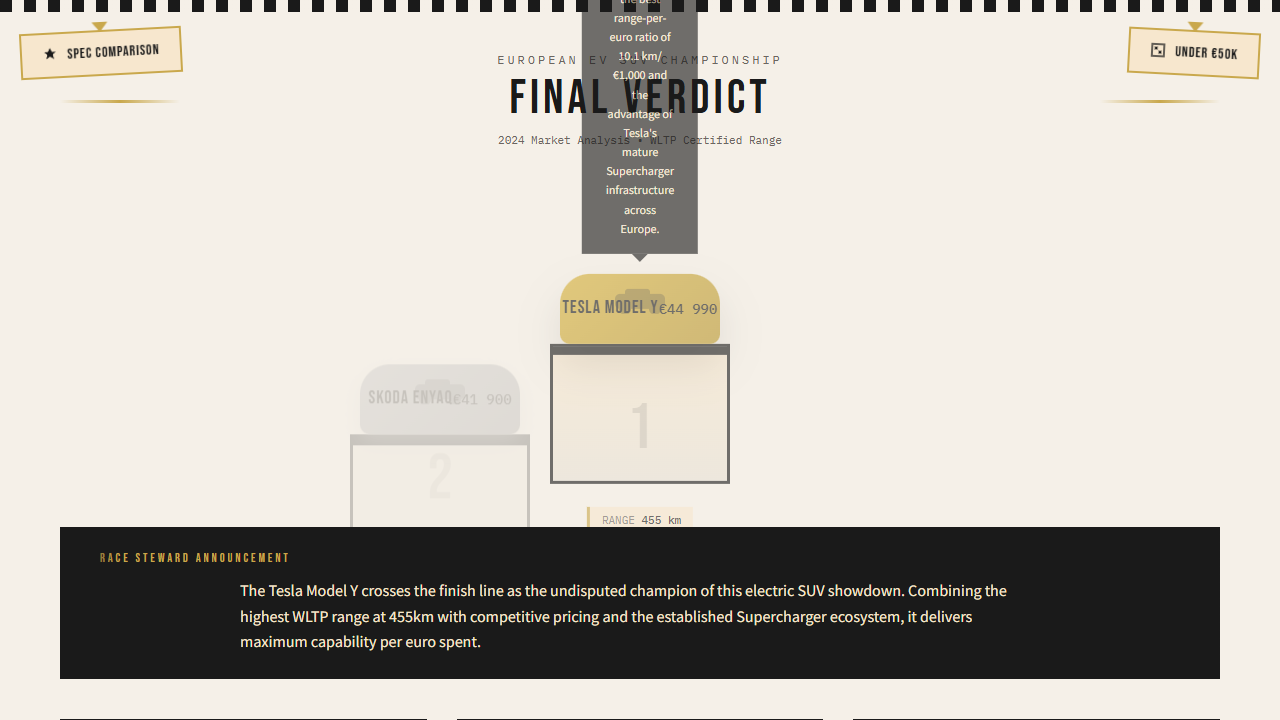
Below: one mission ran end-to-end with the prompt "compare three small electric SUVs under 50k EUR". Same runtime — three completely different visual identities, picked for what each step actually needs.

Step 01 research
"Research available small electric SUVs under €50k"
Research pipeline ribbon, dark museum case
Step 02 compare
"Build a comparison board of the top three"
Glossy SUV showroom with line-art silhouettes and real specs
Step 03 verdict
"Deliver the final verdict on the best choice"
F1-style podium ceremony with Tesla Model Y at #1

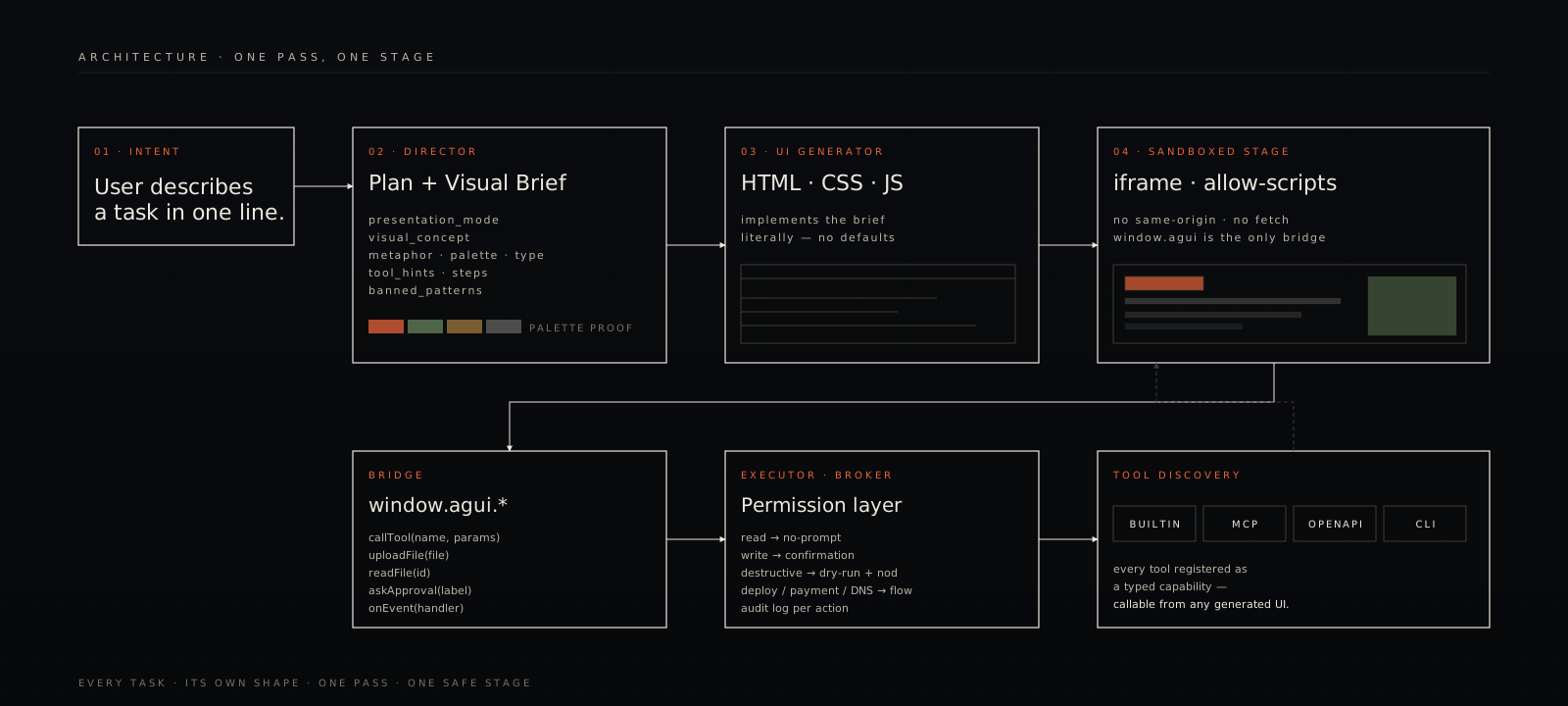
Pipeline. One pass, one stage.

Intent goes through a Director that commits to a structured visual brief, then a UI Generator that emits a self-contained HTML document. The document mounts inside a sandboxed iframe, takes ambient palette from the brief, and talks to the world through a permission-checked tool broker.

HUXForm architecture

Start in one command.

The bootstrap checks your Python and Node, creates a virtualenv, installs dependencies, asks for an LLM API key — any Anthropic-compatible or OpenAI-compatible provider, any model — starts both servers and opens your browser. Next runs skip the setup.

python 3.11+ node 20+ any LLM key MIT
terminal · macOS · Linux · WSL
$ git clone https://github.com/agiwhitelist/HUXForm.git
$ cd HUXForm
$ ./bin/huxform
  ◇ HUXForm — the interface takes the shape of the task
  ✓ preflight  · python3 / node / npm
  · paste your LLM API key ⟶ ······
  ✓ wrote .env
  ✓ api ready · 127.0.0.1:8001
  ✓ web ready · 127.0.0.1:5173
  → http://localhost:5173
terminal · Windows · PowerShell 7+
PS> git clone https://github.com/agiwhitelist/HUXForm.git
PS> cd HUXForm
PS> .\bin\huxform.ps1